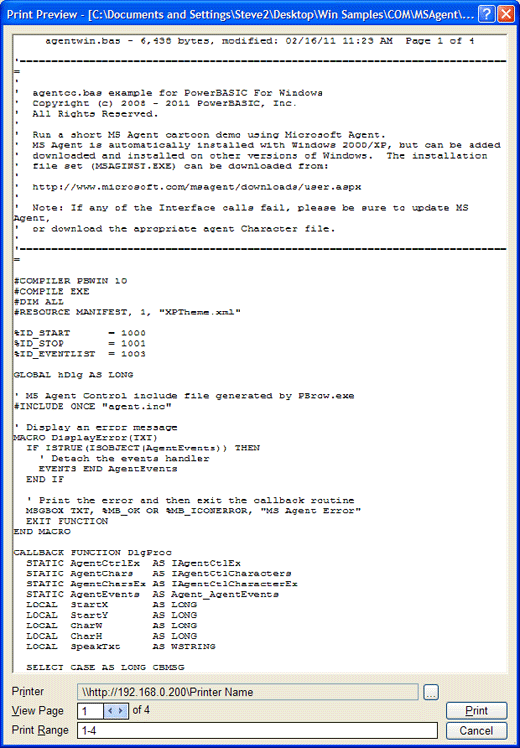
The Print Preview dialog displays each page as it will look when printed.
|
[Preview Window] |
Displays each page as it will look when printed. |
|
Printer |
Displays the name of the currently selected printer. |
|
Ellipses button |
Displays the Printer Properties dialog box to select a new printer or change the current printers settings. |
|
View Range |
Displays the currently previewed document page. Click the arrow buttons to preview a different page in the document. |
|
Print Range |
Allows you to limit the pages that are printed. For example 1-3 will only print pages 1, 2, and 3. |
|
|
Sends the selected range of pages to the printer. |
|
Cancel |
Cancels printing and closes the Preview window. |
See Also
The Integrated Development Environment